Version 1.3.3
LatestA new Format Shape window with colour pickers and fonts for the text in shapes.
Fonts and styles for shape text
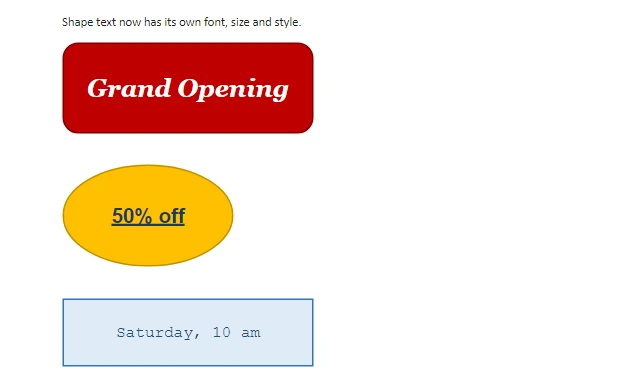
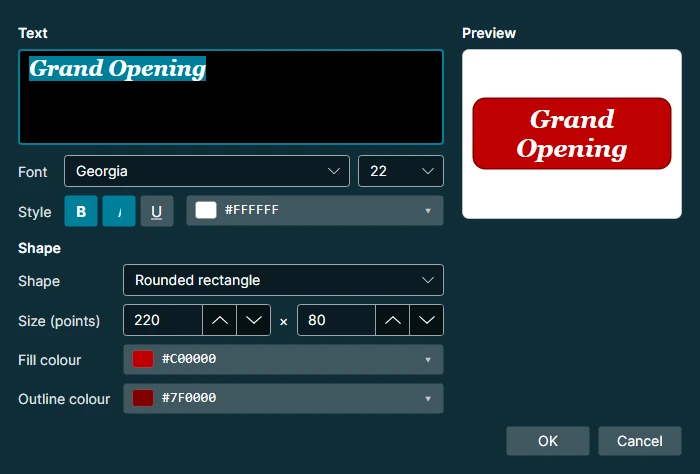
Double-click a shape to open Format Shape. Pick the font and size of its text, and turn on bold, italic or underline with the buttons or with Ctrl+B, Ctrl+I and Ctrl+U. Leave the size on Auto and the text fits the shape. A preview shows every change before you click OK.
The same window is used for shapes on slides, and the text formatting is kept when you save as .docx or .pptx.
A colour picker for every colour
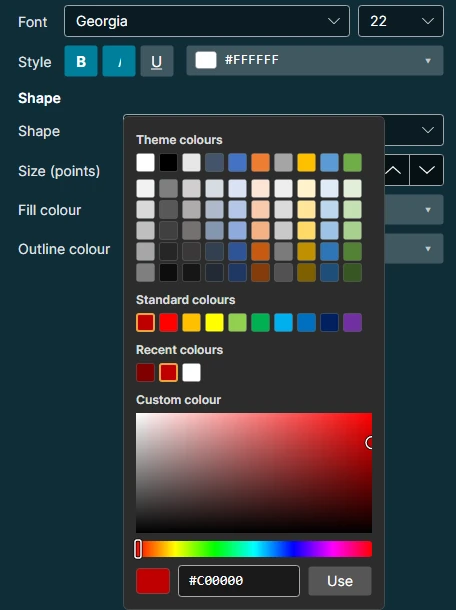
The fill, outline and text colours each open a colour picker like Word's: the theme colours with lighter and darker shades, the standard colours, the colours you used lately, and a custom colour. Pick a custom colour from the colour field and the rainbow bar, or type its code, such as #C00000.
Shapes on the page
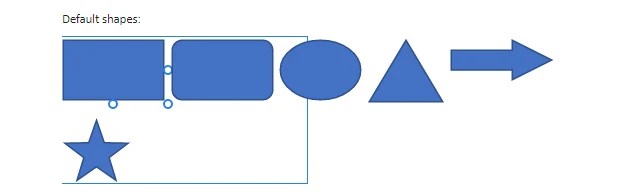
Shapes show their text in the font, size and style you chose. On Windows, TriEdit now shows its own icon on the taskbar instead of a blank page.